








Every file you keep, found and tidied.
Findigo shows everything in Downloads, Desktop and Documents as big pictures on shelves, finds a file from what you remember about it, and tidies Downloads in one click that one Undo puts back. Nothing leaves your Mac.
Free for 7 daysOne-time purchase15-day refundDownload
13 MB download, 23 MB installed. Everything it does happens on your Mac.
What it does
Findigo at work
Watch
See Findigo work
The main features of Findigo, one after another. Captions, no sound.
Pricing
Buy Findigo once, or get every app.
$5Keep Findigo for life, with every update.
All Apps
- Findigo and every other Deskworthy app, and new ones as they ship
- Updates forever, no subscription
- Up to 2 computers, Mac now and Windows when it ships
- After the founders: $9 a month or $69 a year
Findigo, once
- Yours to keep, no subscription
- Up to 2 computers, Mac now and Windows when it ships
- 15-day refund, no questions
Privacy
What Findigo sees stays on your computer.
A license key is all Findigo needs.
We do not record what you do in the app.
Everything works without a connection, apart from the checks above.
Also included
The small things, done properly
Find a file from any app with a hotkey.
One copy always stays, and Findigo says why.
Everything it moves to the Trash can come back.
A visible switch in the toolbar.
Plus New File, Copy Path and Open in Terminal.
Your newest downloads, ready to drag into any app.
In detail
Findigo features
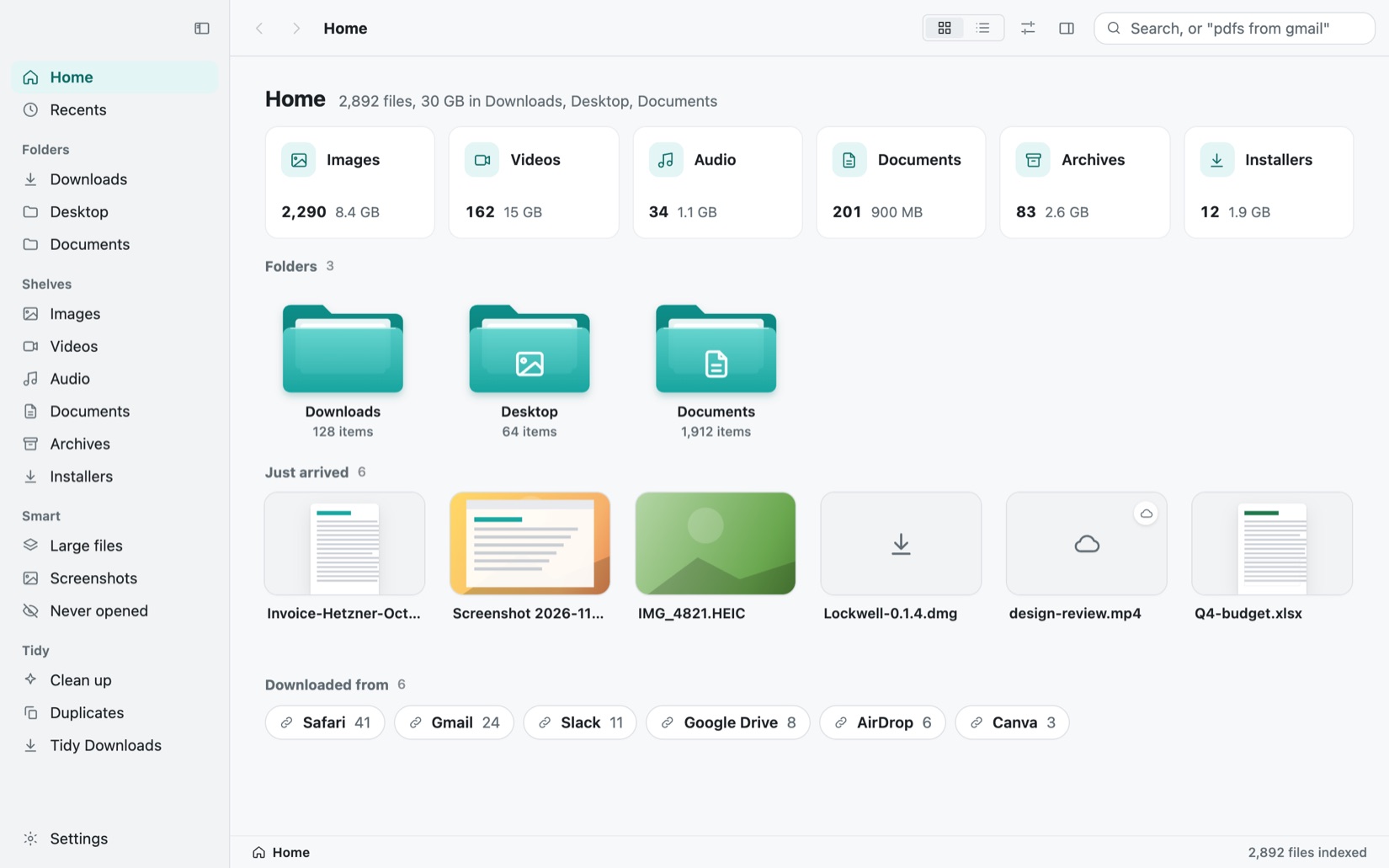
See every file as a big picture
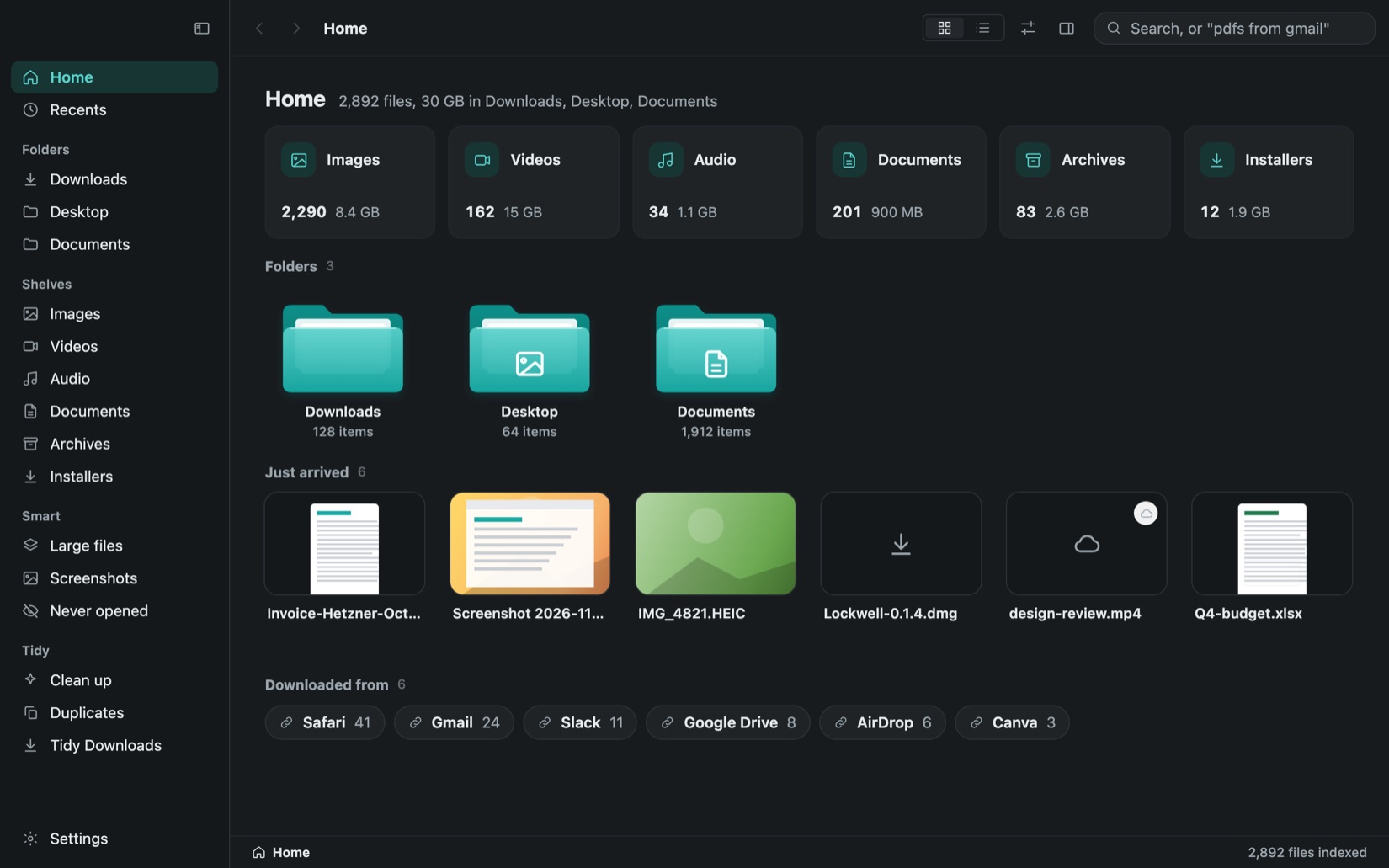
Findigo puts everything in Downloads, Desktop and Documents on shelves: images, videos, audio, documents, archives, installers and apps. Cards are big enough to know a file at a glance, Space opens Quick Look, and files drag straight into any app. Grid and list views switch with Command-1 and Command-2, the list sorts by name, date added, date modified, size or kind from its column headers or a right-click, and Command-I shows every detail.
Find a file by what you remember
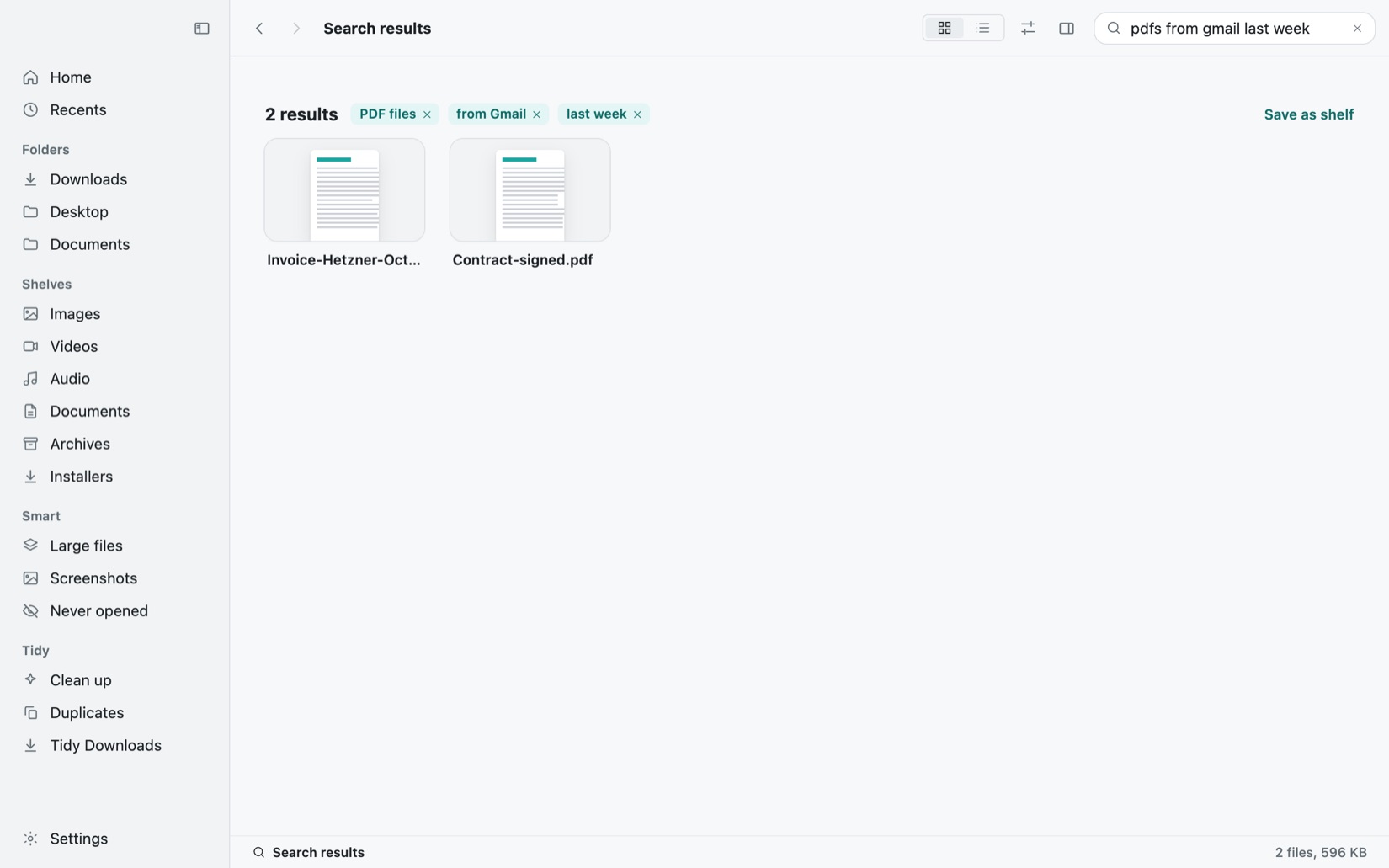
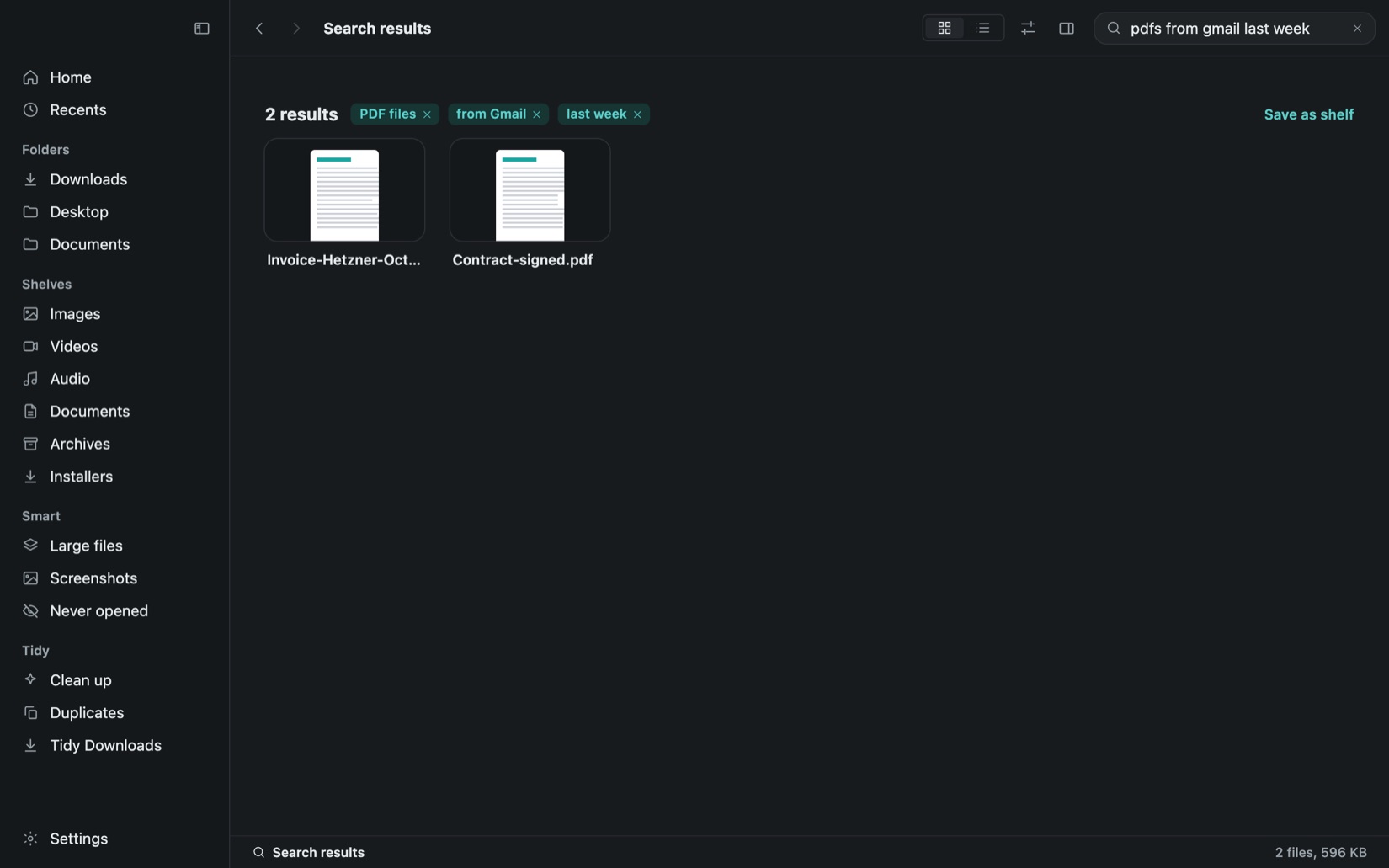
Type what you remember, such as pdfs from gmail last week, and the words become filters you can edit. Findigo also reads the text inside PDFs, screenshots and photos on your Mac, so a receipt is found by its number. Save any search as a smart shelf that keeps itself up to date.
Tidy Downloads in one click
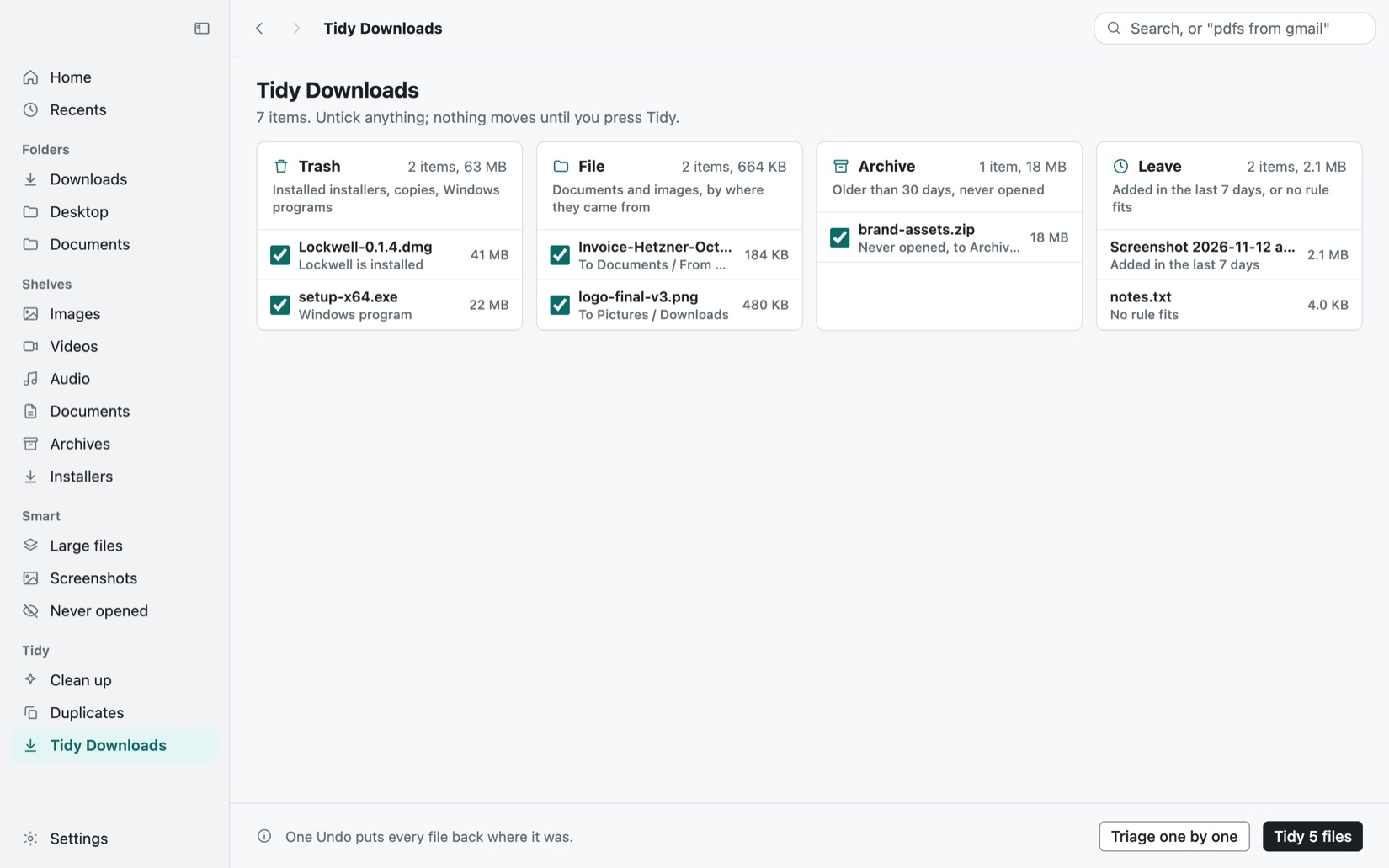
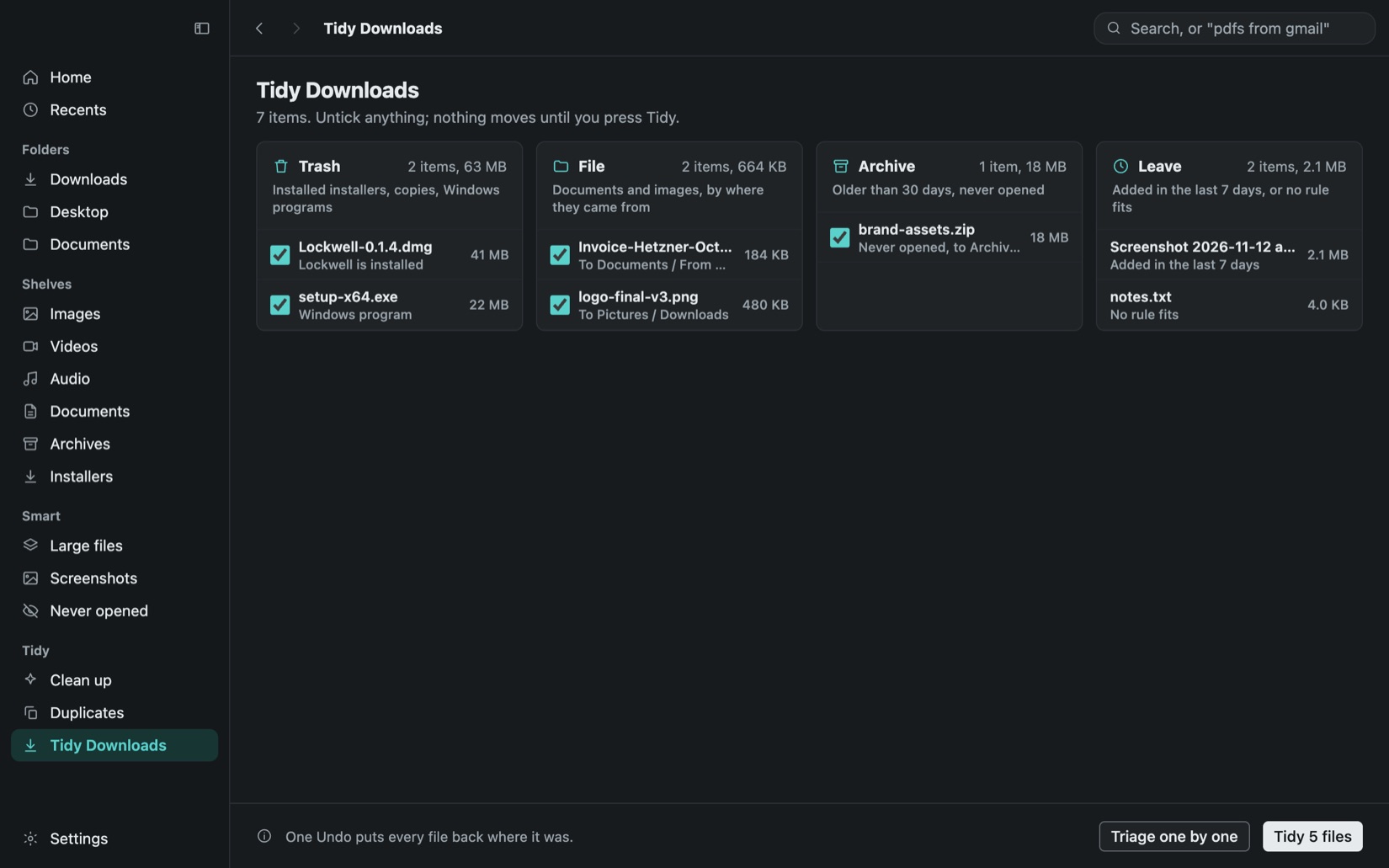
Tidy sorts Downloads into four groups: Trash for installers whose app is already installed, copies and Windows programs; File for documents and images, by where they came from; Archive for old files you never opened; and Leave for the last week. Untick anything, press Tidy once, and one Undo puts it all back.
Go through files one key at a time
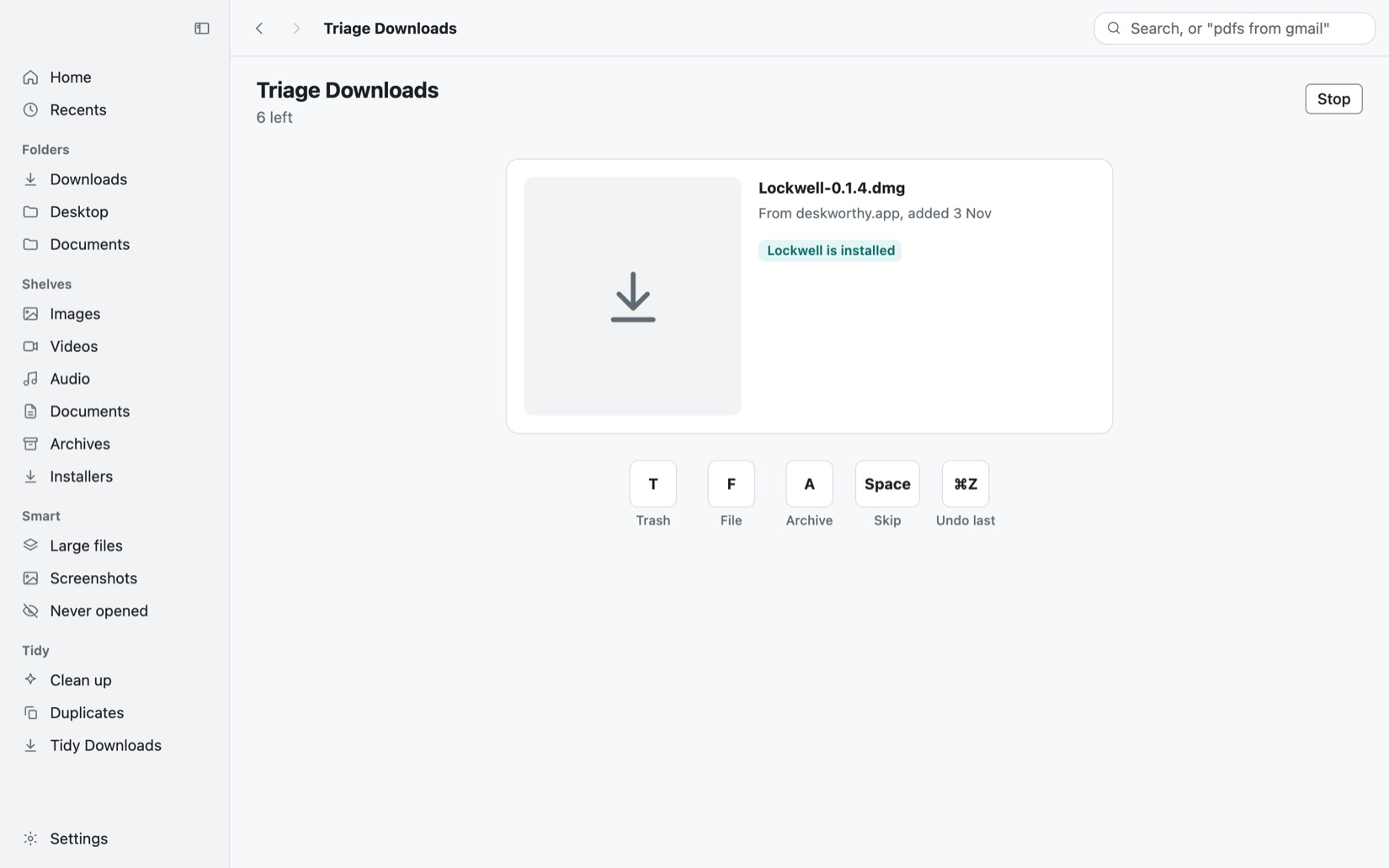
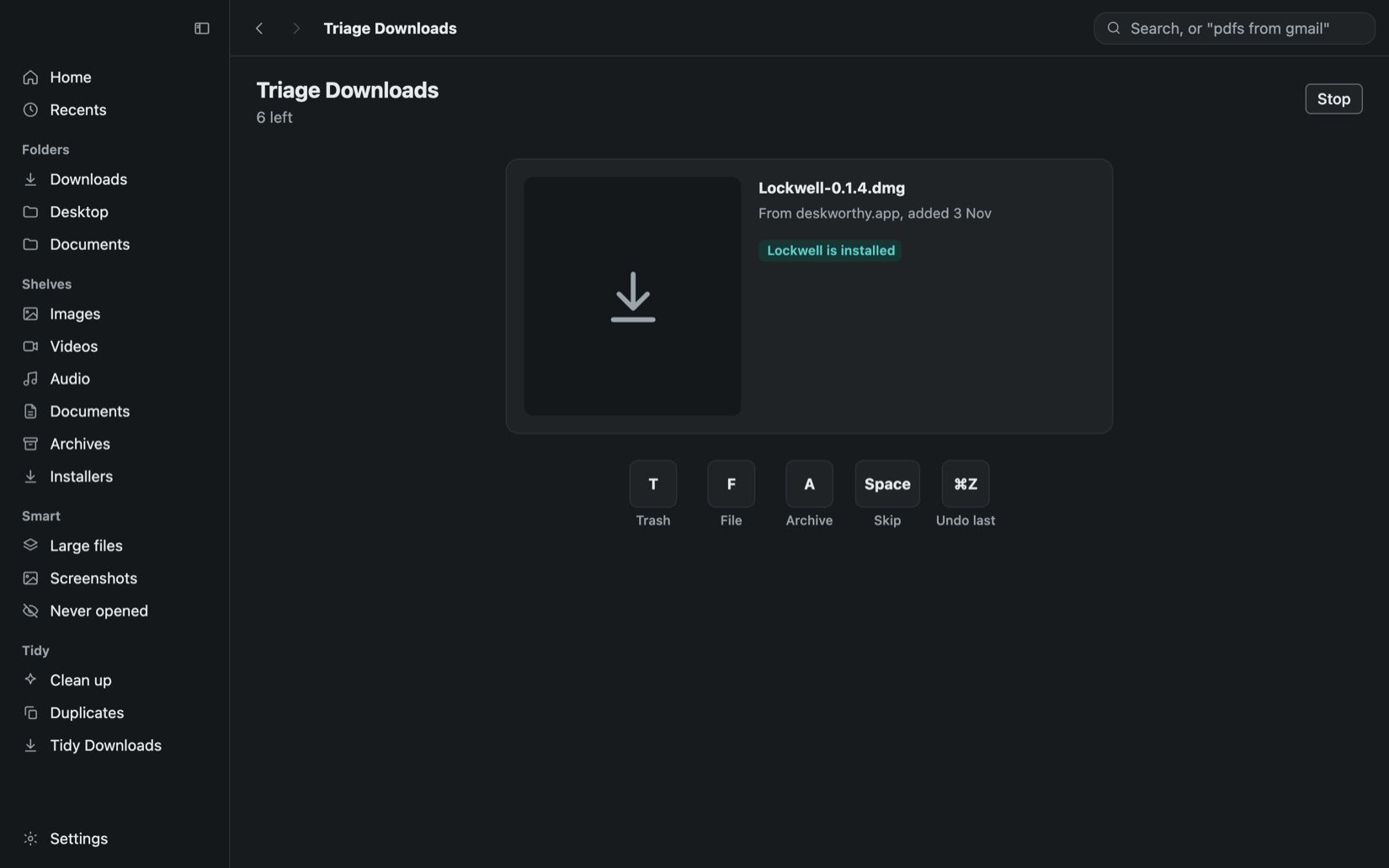
Triage shows one file at a time with a big preview, where it came from and what Tidy would do with it. Press T to trash it, F to file it, A to archive it, a number for a pinned folder or Space to skip. Command-Z undoes the last one, and stopping keeps what is done.
Duplicates and clean-up you can trust
Findigo finds exact copies and look-alike photos. Each group keeps one copy by a stated rule, outside Downloads first, then the oldest, and never lets you remove them all. Clean-up lists show old installers, old screenshots and big videos with the space each frees. Nothing moves until you confirm.
Put back anything Findigo removed
Everything Findigo moves to the Trash is listed under Removed, with the folder it came from and why it went. Put Back returns a file while it is still in the Trash. Cut, Paste, Move, Rename and New Folder all undo with Command-Z, and no command ever deletes a file outright.
The file commands Finder leaves out
Right-click for Cut and Paste, Move to, Copy to, New File, Copy Path and Open in Terminal, the commands Windows users expect. A Show hidden files switch sits in the toolbar, hidden files appear dimmed so you never mistake them, and a file with the same name is never replaced without asking.
Nothing leaves your Mac
Findigo keeps its index, thumbnails and the text it reads on this Mac, and removes them when you uninstall it. It contacts only the update check and the licence check, both listed in its Network pane. Files stored only in iCloud are shown but never downloaded, and hidden folders are never looked into.
Questions
Ask AI about theseChatGPTClaudePerplexityGoogle AI ModeGrok
Something else? Email us at support@deskworthy.app.
What happens when the trial ends?
Findigo is free to try for 7 days. After that your shelves and search still show every file, so nothing is held back. New files stop being shelved, and Clean up and Duplicates need a licence to move files to the Trash.
Does Findigo replace Finder?
No. It works next to Finder, on the folders you choose: Downloads, Desktop and Documents to start with. Show in Finder is always one click away.
Does Tidy delete my files?
No. Tidy moves files to the Trash, into Documents and Pictures, or into an Archive folder in Downloads, and one Undo puts every one back. Nothing is ever deleted outright, and the Trash is emptied only by you.
Does Findigo send my files anywhere?
No. File names, thumbnails and the text it reads stay on your Mac. It contacts only the update check and the licence check.
Does it need an account?
No. A license key by email is all it needs.
Is there a free trial?
Free for 7 days, everything included. No card. Once per computer. And every purchase can be refunded within 15 days.