





Get any PDF ready to send.
Paperly does what you need to a PDF before it goes out. Black out text so the words are really gone, sign it, make it smaller, add a password, and put the pages in order. Every save is a new copy, and nothing leaves your Mac.
Free for 7 daysOne-time purchase15-day refundDownload
17 MB download, 26 MB installed. Everything it does happens on your Mac.
What it does
Paperly at work
Watch
See Paperly work
The main features of Paperly, one after another. Captions, no sound.
Pricing
Buy Paperly once, or get every app.
$5Keep Paperly for life, with every update.
All Apps
- Paperly and every other Deskworthy app, and new ones as they ship
- Updates forever, no subscription
- Up to 2 computers, Mac now and Windows when it ships
- After the founders: $9 a month or $69 a year
Paperly, once
- Yours to keep, no subscription
- Up to 2 computers, Mac now and Windows when it ships
- 15-day refund, no questions
Privacy
What Paperly sees stays on your computer.
A license key is all Paperly needs.
We do not record what you do in the app.
Everything works without a connection, apart from the checks above.
Also included
The small things, done properly
Swap in a page from another PDF or an image.
By page range, at chosen points, or every few pages.
Open a PDF with its password, save a copy without one.
Search the last 50 you opened by name.
Cmd Z steps back through every change.
Drop a PDF on the window to start.
Attached files, scripts and comments, found when you save.
Follows your Mac, or pick one.
In detail
Paperly features
Black out text so it is really gone
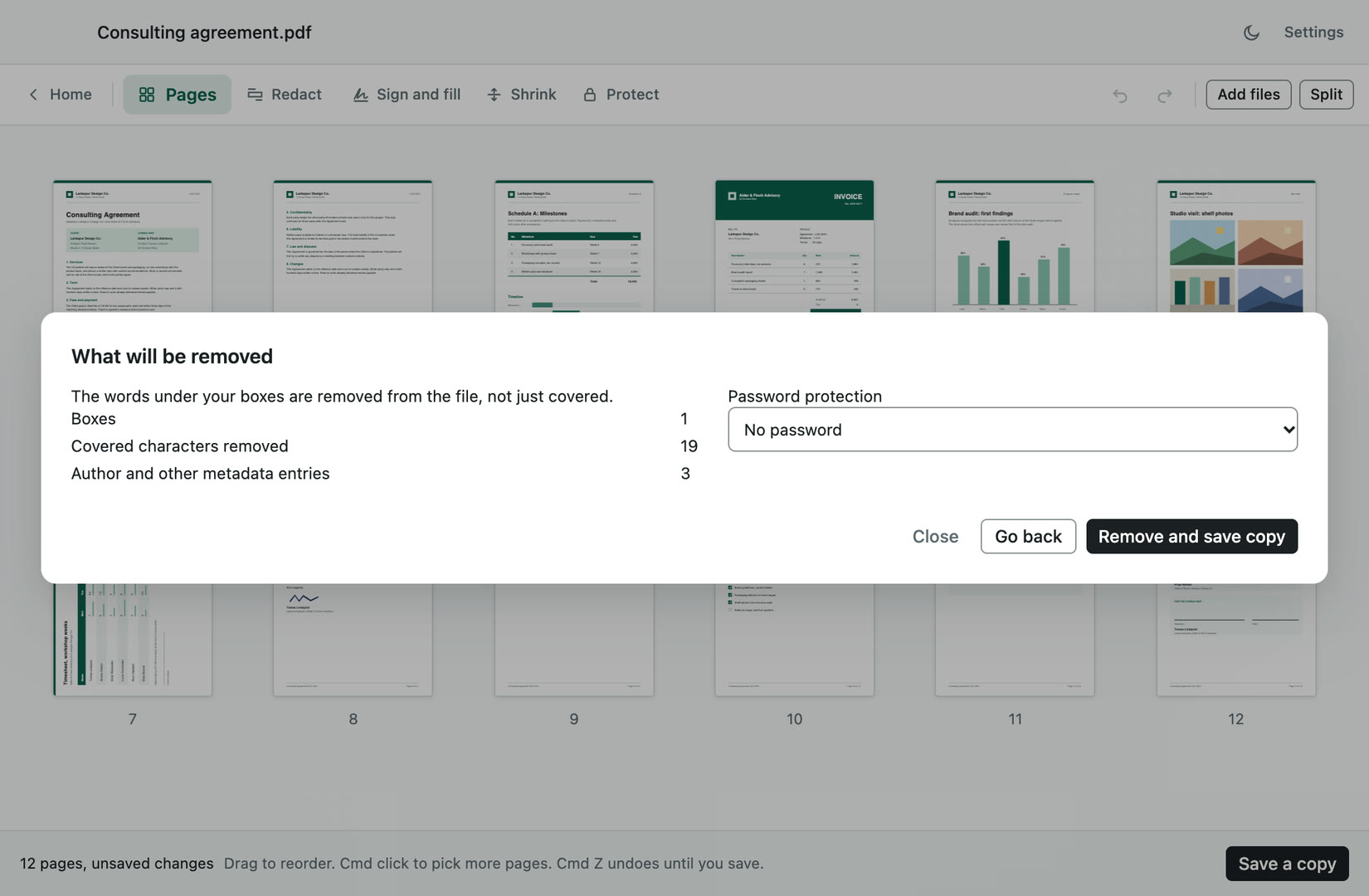
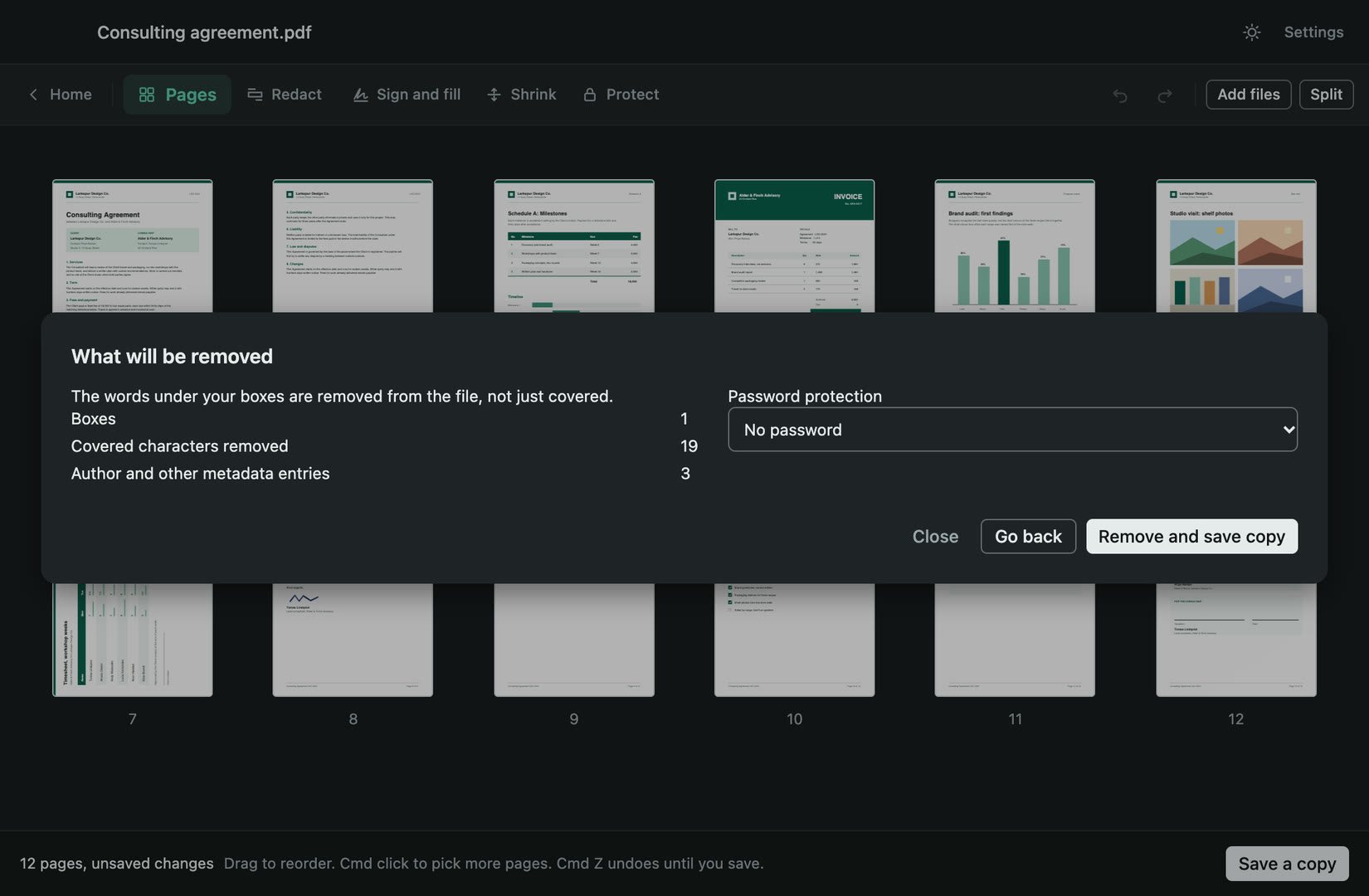
Drag a box over anything you do not want to send. Paperly removes the words under the box from the file instead of painting over them, and lists what will go before you save. When a page's words cannot be removed safely, Paperly says so plainly and that page becomes a picture, so nothing can be copied back out.
Sign, type and fill in a form
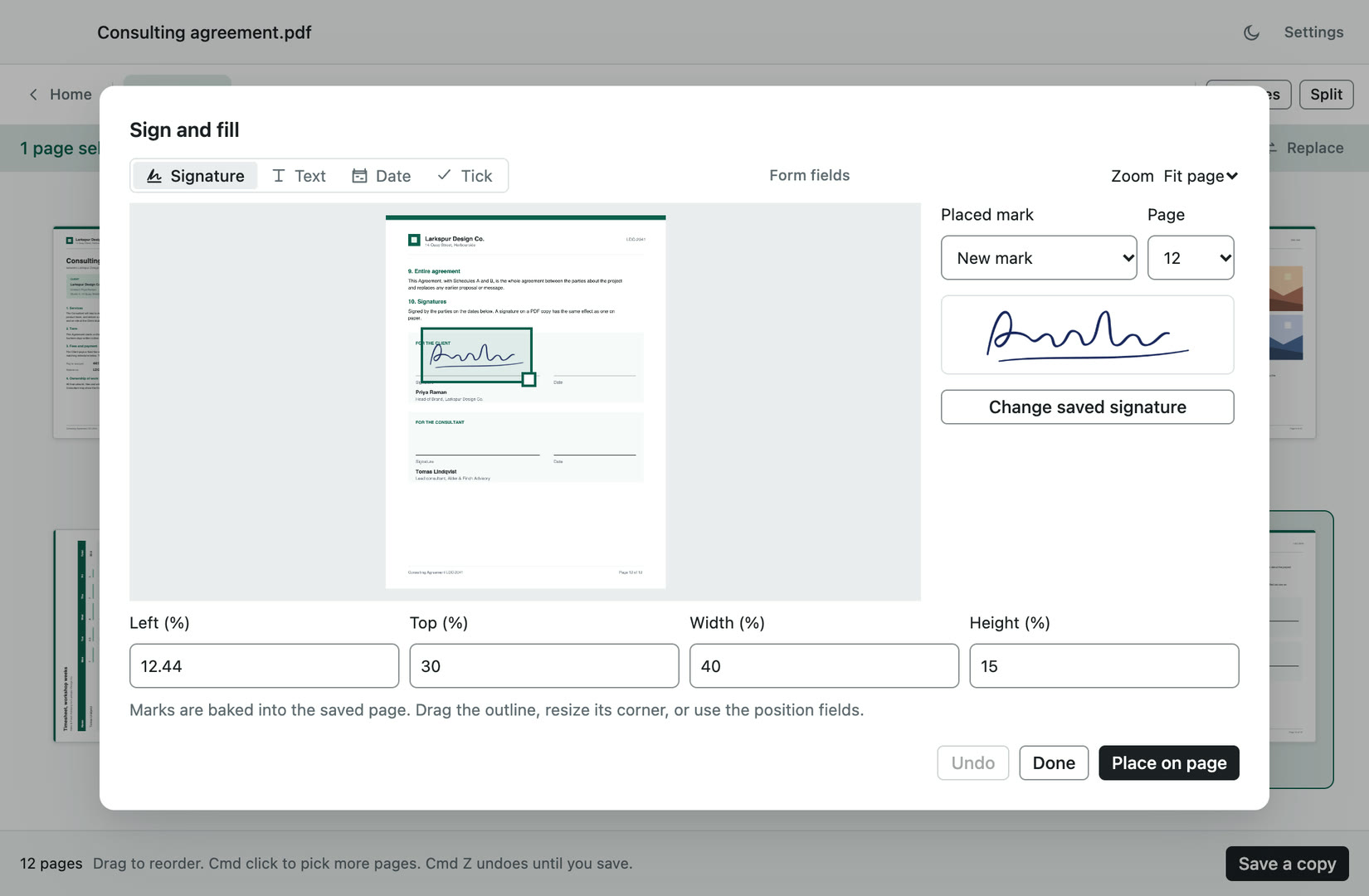
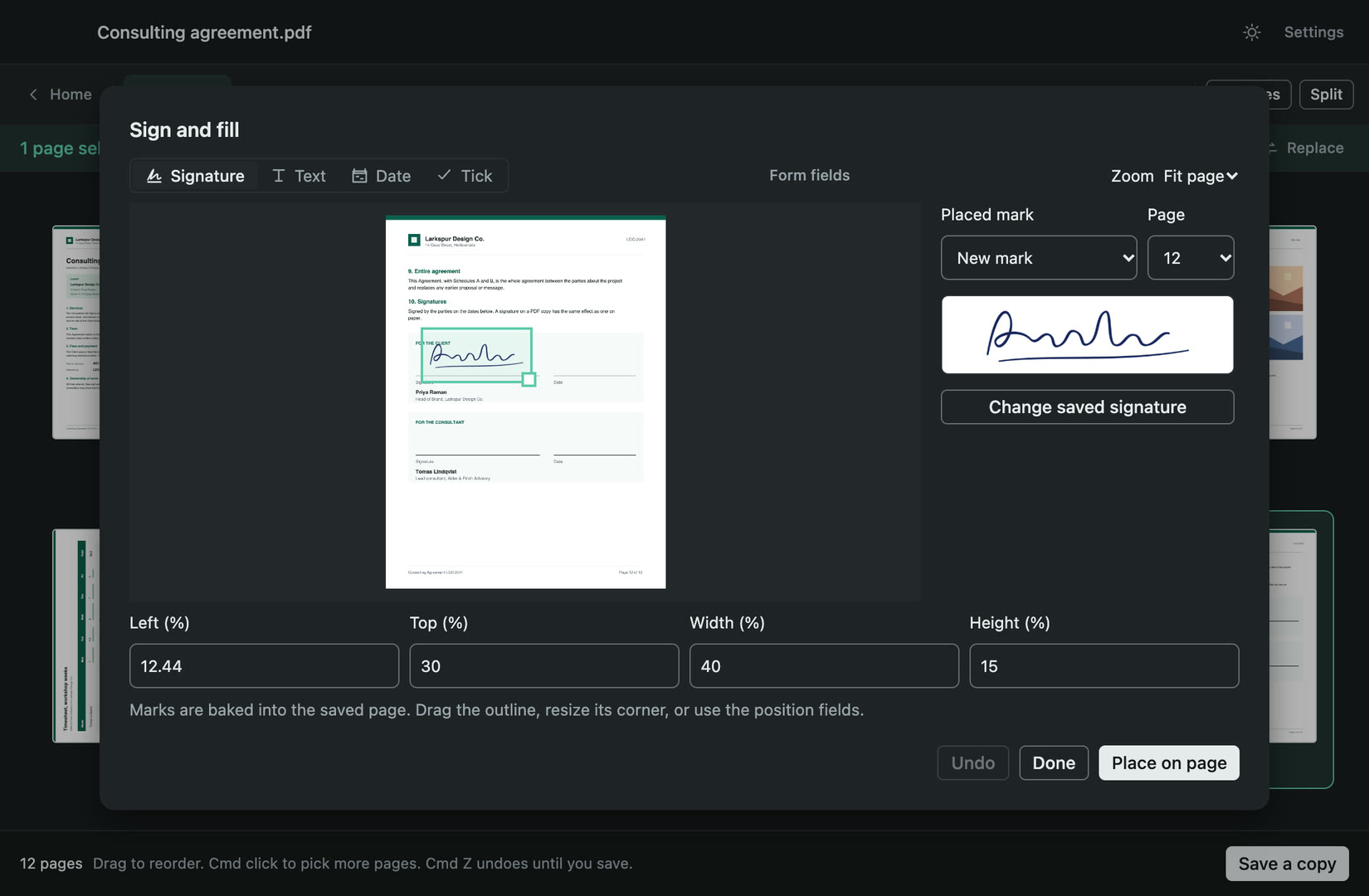
Draw or import your signature once; it is stored on this Mac and ready for any document. Place it, move it and resize it on any page. Type text, add a date or a tick anywhere, even on a PDF with no form fields, or fill the real fields it has. Everything is written into the page itself.
Make a PDF smaller, with the size shown first
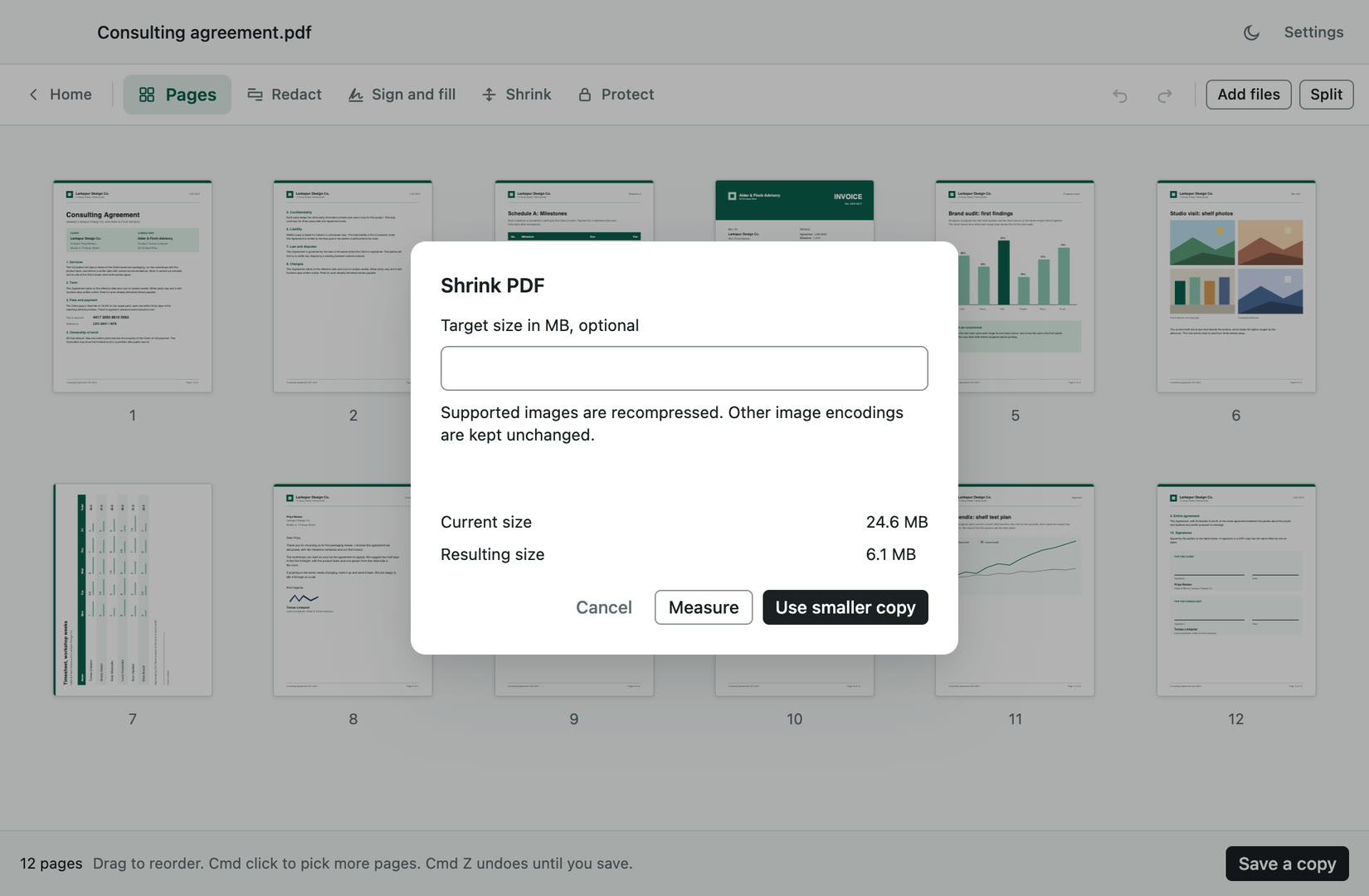
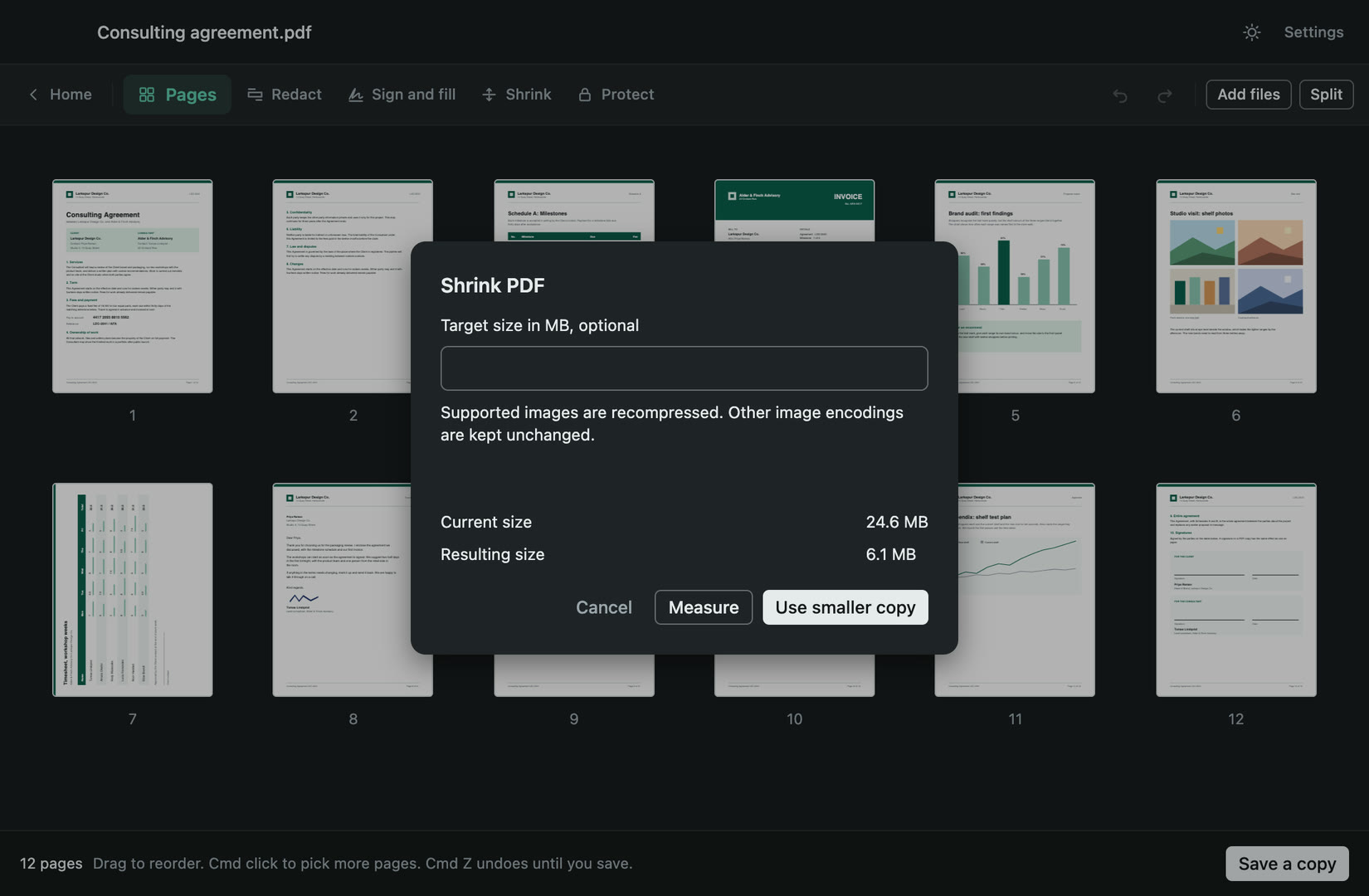
Paperly measures the copy and shows the current size and the new size before you keep it, and you can set a target size. It never promises a percentage. When nothing worthwhile can be saved it keeps the original bytes and says so, and images it cannot recompress are carried through untouched.
Add or remove a password
Add an AES-256 password when you save a copy, typed twice so a typo cannot lock you out, and Paperly says what the protected file allows. The copy opens in Preview and any PDF reader. A PDF you can open with its password can also be saved as a copy without one.
Rearrange, combine and split pages
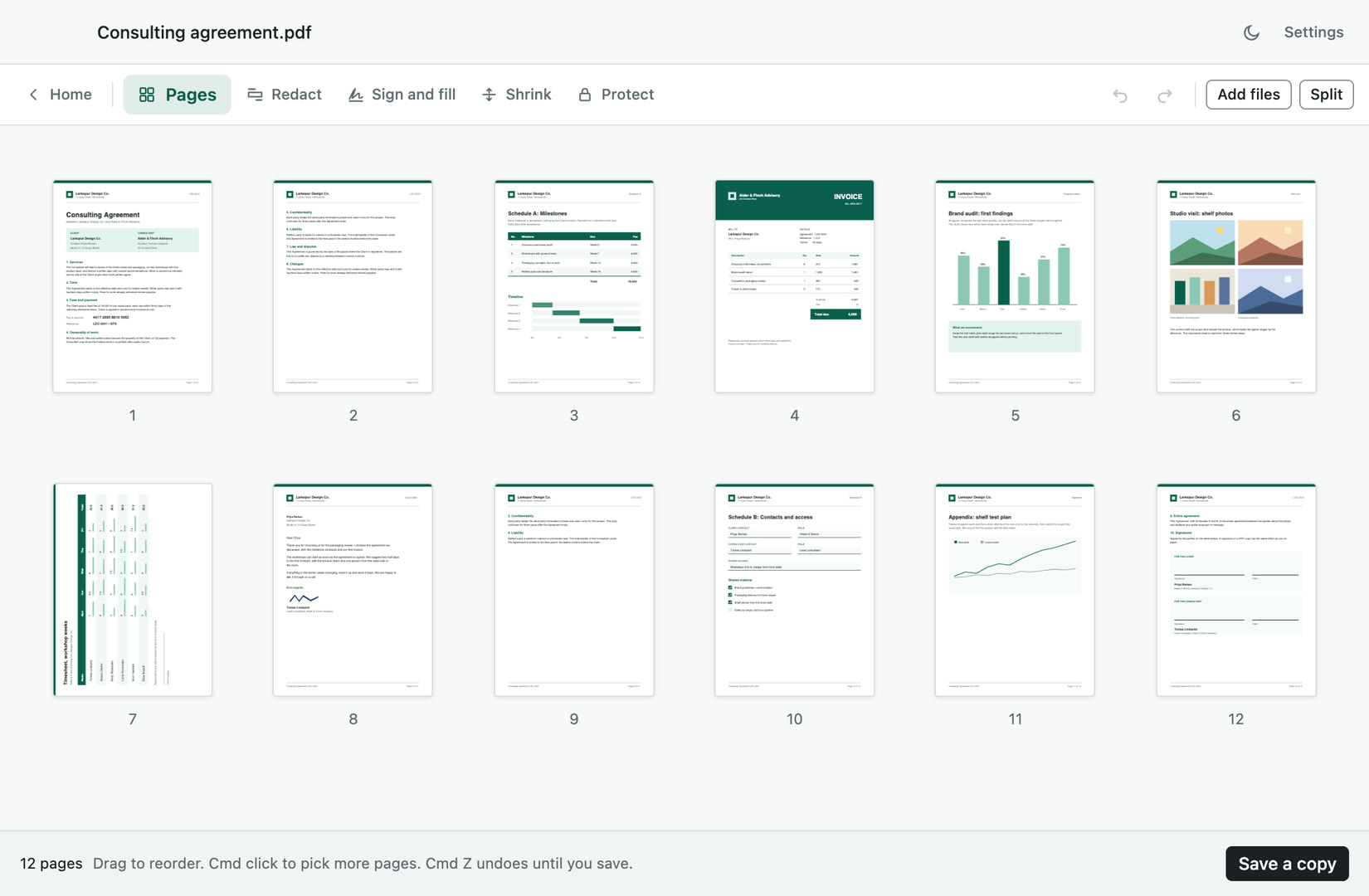
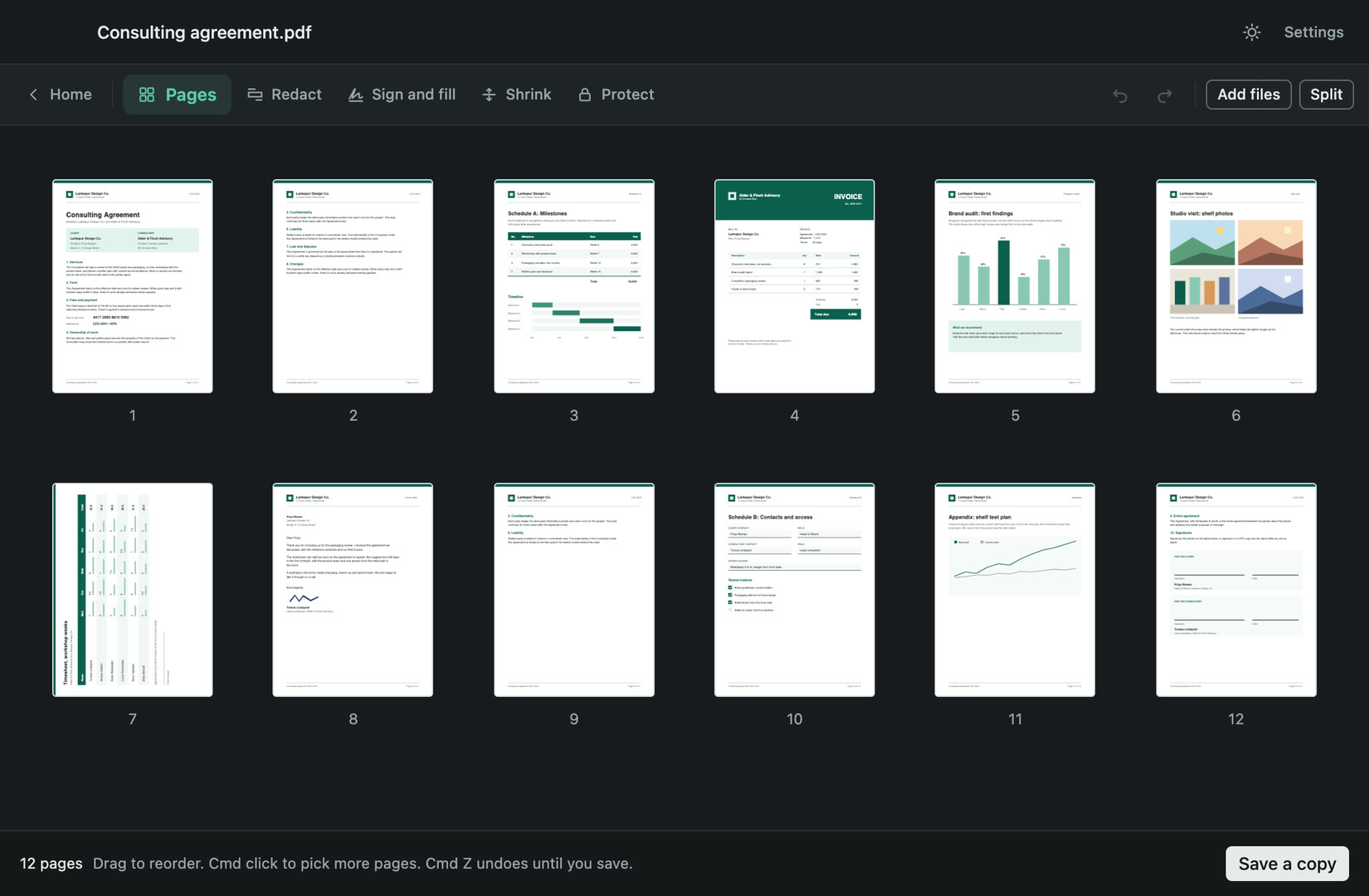
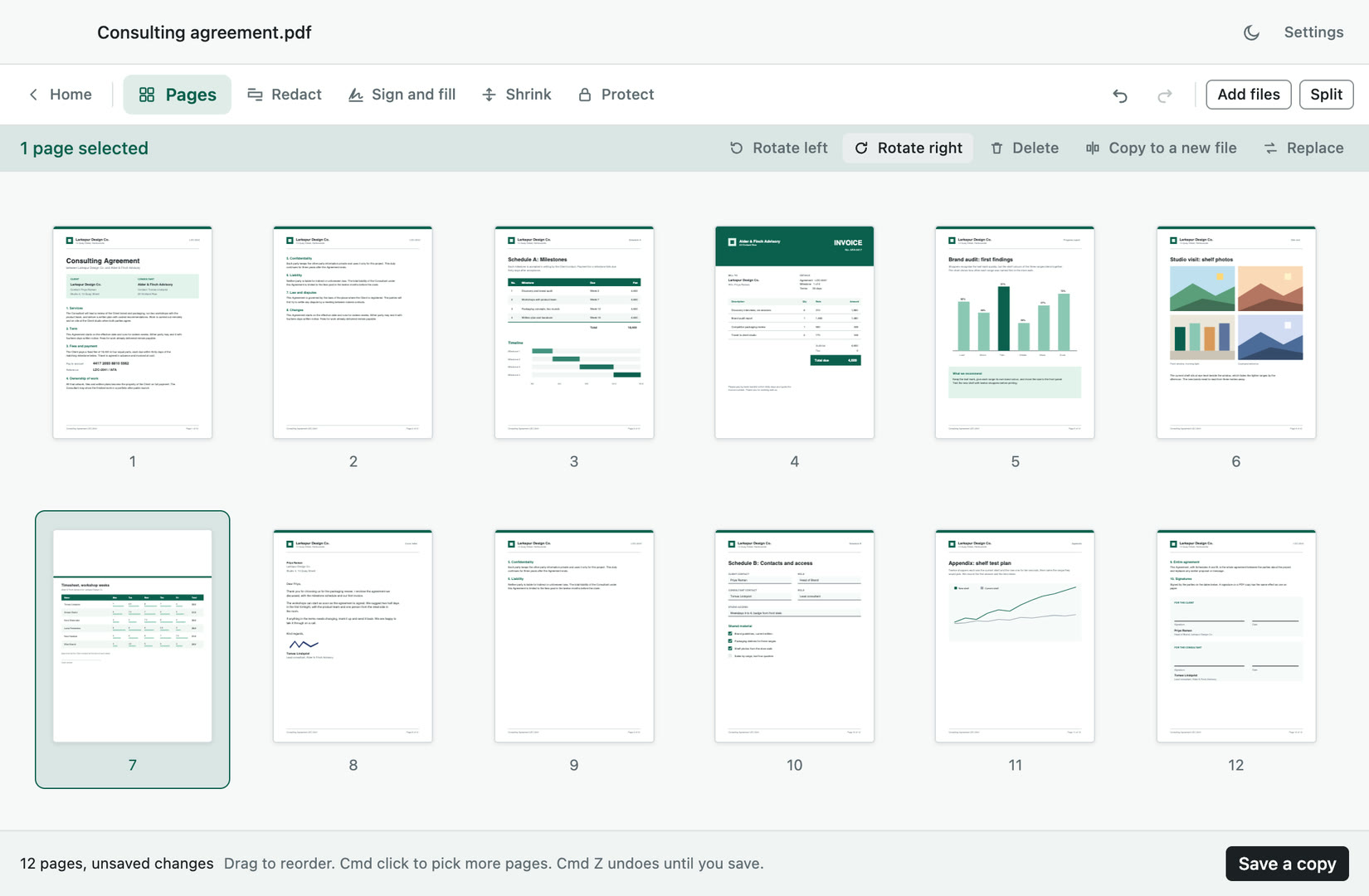
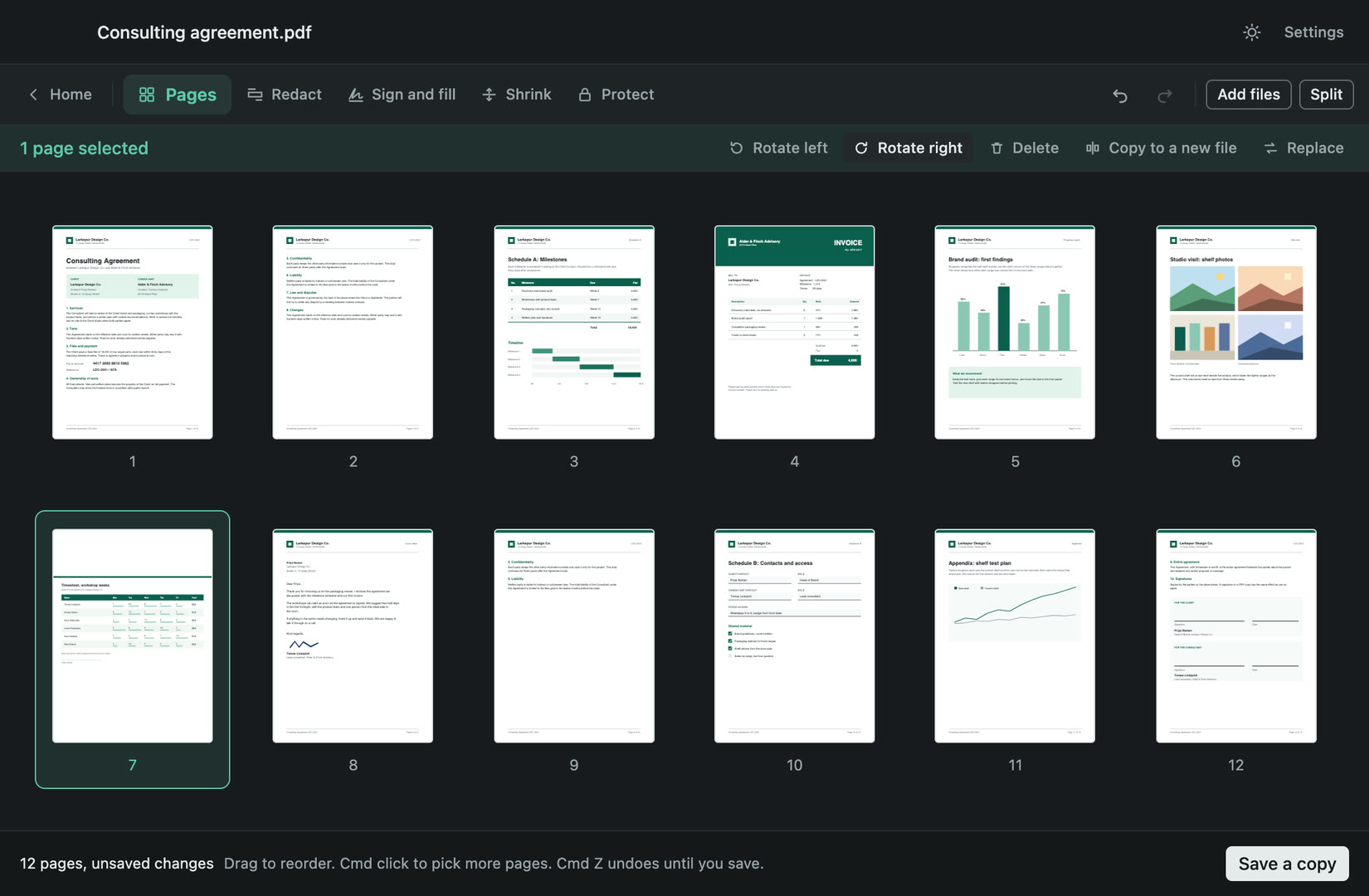
Every page shows in one grid. Drag pages into order, rotate or delete them, or replace one with a page from another PDF or an image. Combine several PDFs into one, split a document by range, at chosen points or every few pages, or copy pages into a new file. Cmd Z undoes until you save.
See what is hidden in the file
When you save, Paperly tells you what travels with the file in plain words: author and producer names, attached files, scripts, comments and form values. Each one clears in one click. Author and producer names are removed from the copy by default, so they do not go out by accident.
Many files at once
Pick a whole set of PDFs and shrink copies of them, strip their metadata or merge them into one, with progress and a cancel. One file that fails does not stop the rest, and each failure is named with its reason. Cancelling leaves no half-written file behind.
Every save is a new copy
Paperly never changes your original and never overwrites a file: each save is a new copy with its own name, and Show in Finder or Open the copy is right there. Your PDFs never leave your Mac. Paperly contacts only the update check and the licence check, and every feature works offline.
Questions
Ask AI about theseChatGPTClaudePerplexityGoogle AI ModeGrok
Something else? Email us at support@deskworthy.app.
What happens when the trial ends?
Paperly is free to try for 7 days, with the whole app. After that it still opens your PDFs and shows every page, and saving a new change needs a licence. Copies you already saved are yours to keep.
Does Paperly change my original PDF?
No. Every save writes a new copy with its own name, and your original is never touched. An existing file is never overwritten.
Is blacked-out text really removed?
Yes. The words under your boxes are removed from the saved file, not just covered, and Paperly shows what it will remove before you save. When a page's words cannot be removed safely, it tells you and turns that page into a picture instead.
Does Paperly upload my PDFs?
No. Every feature runs on your Mac and works offline. Paperly contacts only the update check and the licence check.
Is there a Windows version?
Paperly for Windows is coming soon. Today it is available for Mac.
Does it need an account?
No. A license key by email is all it needs.
Is there a free trial?
Free for 7 days, everything included. No card. Once per computer. And every purchase can be refunded within 15 days.