4 groups moved to the Trash
12.8 GB, nothing skipped. Caches refill as apps are used, so clearing them again soon buys little.
Empty Trash nowDone
Every app here, plus new ones as they ship, for one price.
| Total | 245 GB |
| Used | 226 GB |
| Free | 19.4 GB |
Matched by content, not by name. One copy of every group always stays.
2 items, gathered from the map and the identical files. Everything here goes to the Trash, so you can put it back.

See where your disk space went, in one picture, and get it back safely.
412 folders could not be read. That is most of the 1.7 GB above.
In 5 places. Apps rebuild these on their own.
In 31 of 55 projects untouched for 90 days. Active ones are left out.
Real files you may still want. Listed before you tick.
By 9 apps you have already deleted.
412 files not opened or changed since September 2025.
2,321 more live only in iCloud and take no space here, so they are not counted.
24 active projects hold another 8.2 GB. They are not listed as reclaimable, because removing them interrupts work you are doing now.
4 groups from Safe to clear. Everything goes to the Trash, so you can put it back.
12.8 GB, nothing skipped. Caches refill as apps are used, so clearing them again soon buys little.
/Applications/Docker.appThe application itself2.10 GB~/Library/Containers/com.docker.dockerYour data. Tick only if you have nothing in Docker you want to keep19.7 GB~/Library/Caches/com.docker.dockerRebuilt if you reinstall312 MB~/Library/Logs/Docker DesktopDiagnostic logs41 MB~/Library/Preferences/com.docker.docker.plist and 3 moreSettings. Reinstalling starts fresh58 KBPressure is what matters, not how full memory looks. Moderate means macOS is compressing to cope.
Open to your network means anyone on the same Wi-Fi can reach it.

Keep your Mac in good shape. What is safe to clear, what apps really cost, and what it is doing now.
Owner: you@example.com. Due Friday.

Press a key, select part of the screen, mark it up, and put it where it needs to go.
Choose JPEG, PNG, WebP, AVIF, TIFF, BMP or still GIF images. HEIC works on macOS.
Set a limit, compare, save new copies.
Choose your settings, then prepare to see each copy and its real size.
Working locally. Your original stays untouched.
0 / 5 processedalpine-lake.jpgJPEG, PNG and WebP keep their format. TIFF, BMP and GIF become PNG. HEIC becomes JPEG. AVIF becomes JPEG.
Linked for each image, never enlarges
Quality is lowered first, for every image together, down to 60%. Only then, if allowed, are images made smaller, never below the smallest long edge.
EXIF, XMP, IPTC, comments and PNG text are left out of new copies. Color profiles stay.
Every image also gets these copies, each with its own size and name. Size limits apply to the main copy only.
Add a copyMeasured file sizes, no image uploads

Drop in images and get back small, correctly sized, correctly named export sets.
Its 14 processes end together and give back 2.3 GB. It asks you to save anything open, as when you quit it yourself.
Memory is tight: Team chat holds 4 times its usual.

See what your Mac and every app on it are doing, now and over the last 30 days.
Open a screenshot, drop it here or paste an image. Hidden areas are burned into the copy.
Open an image PNG, JPEG or WebP. Processed on this computer.Draw a box over anything to hide, or review suggestions from your device.
Find sensitive content0 areas, up to 200 per image
Give the image room to breathe.

Turn a raw screenshot into something presentable in one step, with emails and other identifiers hidden for you.
Monday: final builds signed and notarized.
Ship the release notes by Friday.
Wednesday: invoices out to the two design partners.
Invoice #2041
Due 30 October
Total 1,240.00

Everything you copy is kept, findable in a keystroke, and pasted back where you are working.
Every vault locks after a while without use, on sleep and when the screen locks.
Unlock with Touch ID Master password
An offline password vault for your Mac. A hotkey, a search, a copy icon.
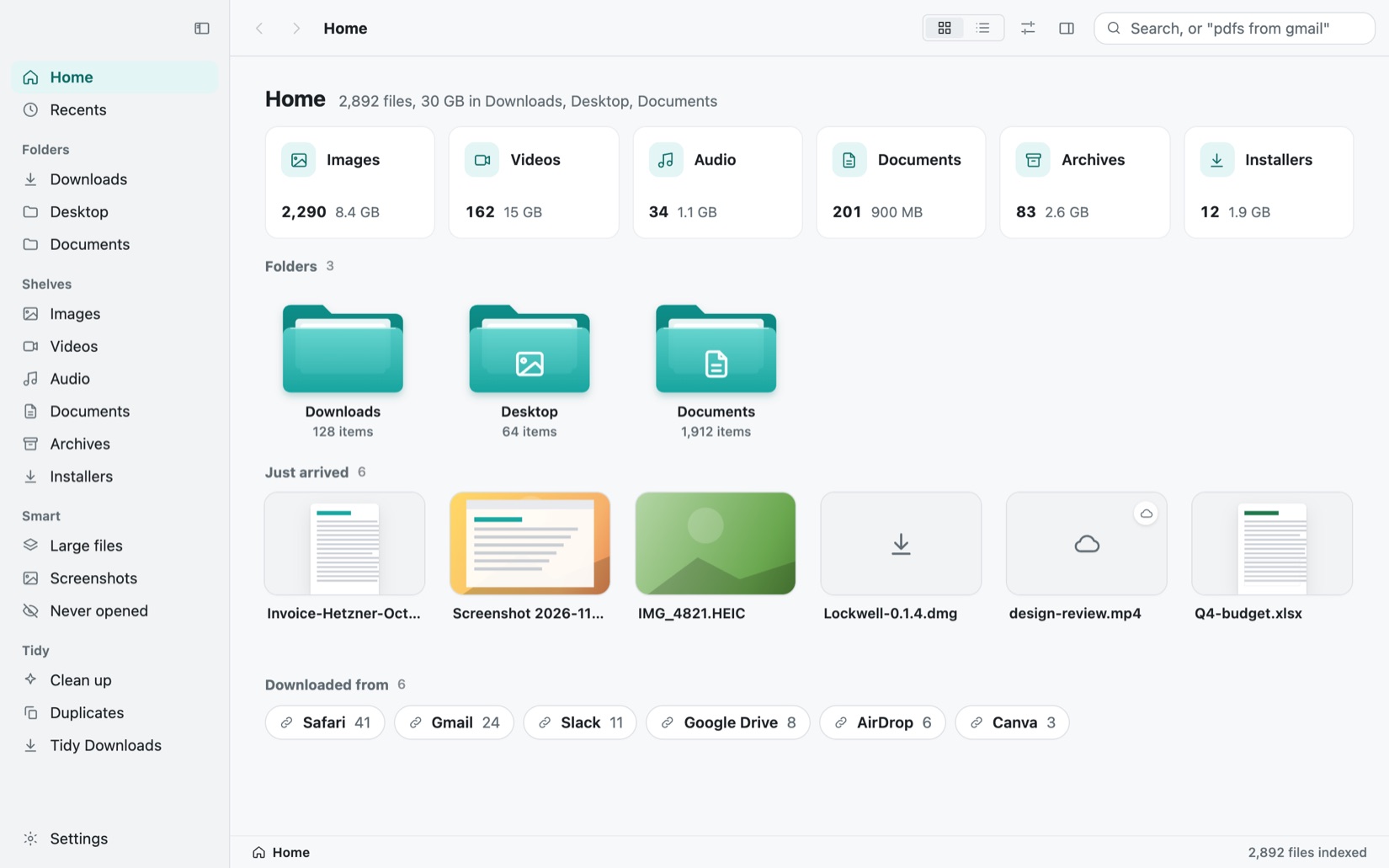

See every file as a picture, find one by what you remember, and tidy Downloads in one click.
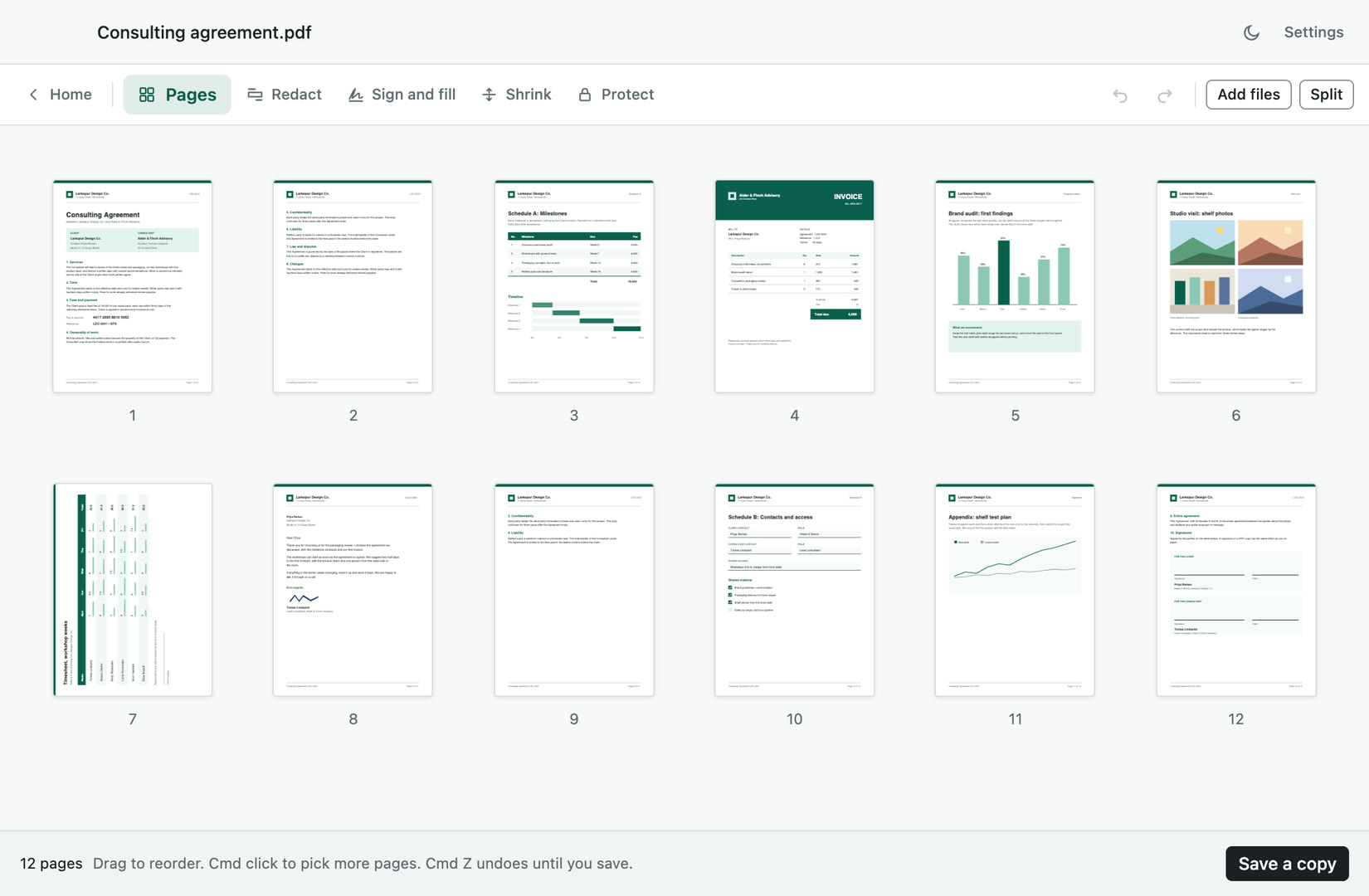

Black out, sign, shrink, lock and rearrange a PDF before you send it, on your Mac.
New apps join All Apps at no extra cost.

Install one small app, then install any Deskworthy app with a click, with every license in one place.